Manifest-loaded applications
Each app brings bots, routes, ribbon UI, tools, schedules, migrations, and workflow ownership without forking the runtime.
oshal / Open Swarm is the governed runtime. Applications load onto it from manifests; the framework supplies the controller, mesh, bot runtimes, connectors, identity, data isolation, cost/review ledger, and deployment model underneath.
Jarvis, Workflow Studio, and bot configuration are surfaces. The platform is the runtime below them: app manifests, ticket queues, controller mesh, bot nodes, connector brokerage, tenant isolation, cost/review records, and deployable packaging.
Each app brings bots, routes, ribbon UI, tools, schedules, migrations, and workflow ownership without forking the runtime.
The controller accepts tickets, tracks state, dispatches work, monitors bot heartbeats, and records outcomes.
A bot can run Codex, Claude Code, Gemini, CrewAI, Cline, or another harness with its own provider, model, and persona gate.
Business requests become governed queues with review gates, handover packets, shared workspaces, and deterministic status.
Connectors resolve credentials per user, broker API access, apply retries and limits, and expose scoped tools to bots.
OIDC, task/user boundaries, Postgres RLS, tool authorization modes, cost tracking, and Security Center keep work attributable.
Postgres, Chroma, ticket history, persona memory, and workspace files let bots collaborate without losing ownership boundaries.
The same platform runs as a zero-keys demo, local self-host, tunneled production install, Kubernetes deployment, or AnyBot node.
oshal Intelligence is the concierge into the swarm. Workflow Studio is one authoring surface. Bot configuration shows the per-agent runtime controls.
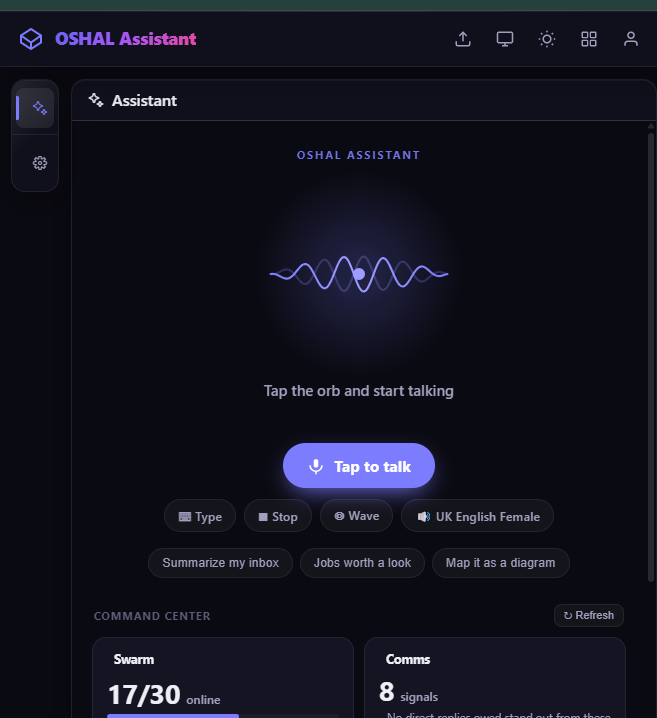
Concierge access to loaded apps, tools, and bots.

Plain-language process to publishable queue.
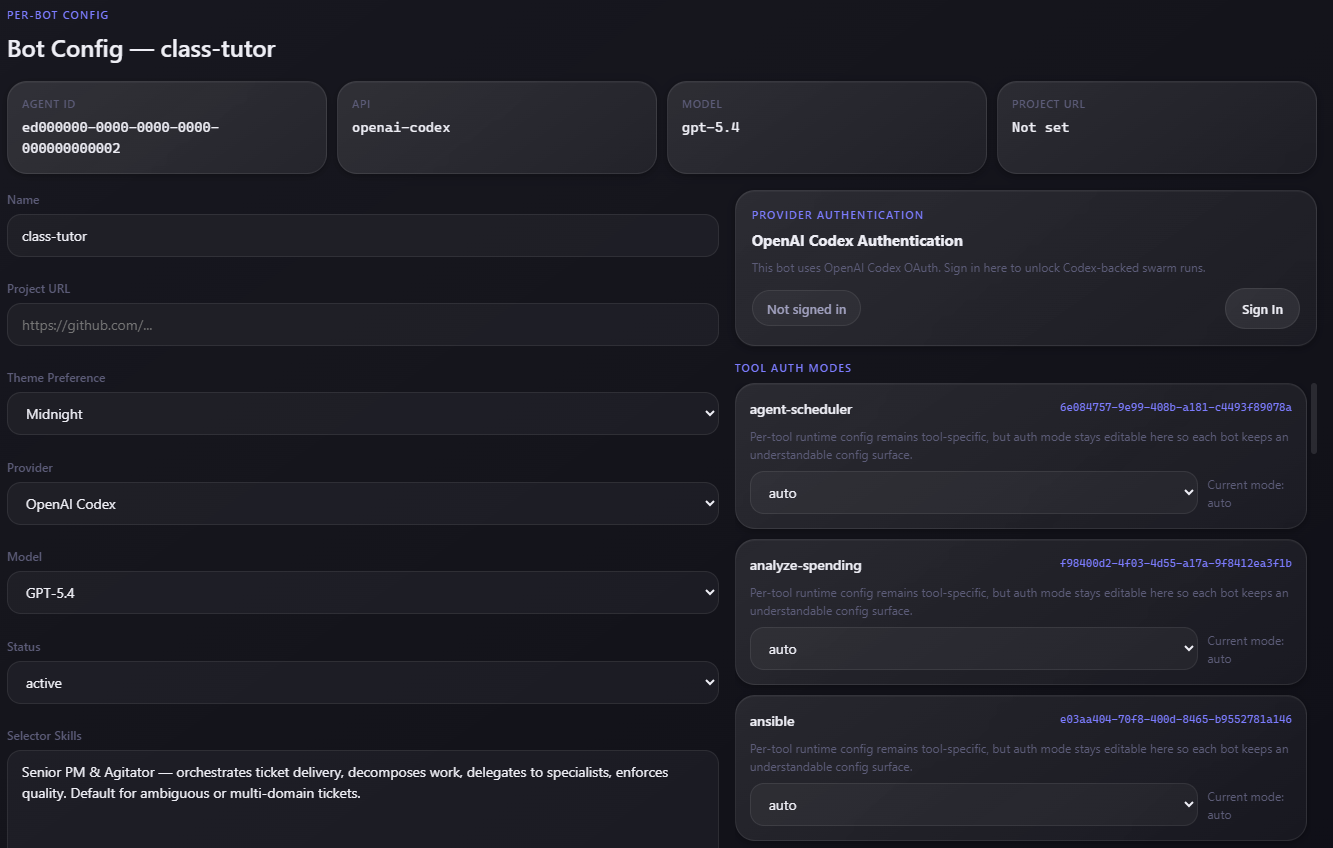
Harness, provider, model, and tool policy per bot.
Nothing in the stack reaches across boundaries it does not own. Apps never touch another tenant's data; bot nodes never decide policy; connectors never run without a broker. That separation is what lets the same runtime safely host very different applications.

Work flows down from a surface to the controller, fans out to bot nodes, reaches outside systems only through brokered connectors, and lands in isolated data. Results flow back up the same path.
Every unit of work is a ticket on a queue. The controller routes; bot nodes execute; personas enforce role behavior; the mesh carries handoffs. Cost, tokens, and review state are captured once, centrally.
Lanes scale independently across local, Kubernetes, or remote nodes — each agent consumes its own stream.
Open Swarm does not force one provider or one runtime. Provider and model are runtime configuration, not architecture decisions baked into code, while every bot keeps the same bot-to-bot communication layer.
Isolation is not a convention in application code; it is enforced where it is hardest to bypass. The application runs as a least-privilege database role, and Postgres row-level security scopes every read and write to its owner.
The app no longer runs as a superuser. A dedicated least-privilege role owns the tables and FORCE row-level security scopes each row to its tenant and user, so one account cannot read another's data even with a crafted query.
Personal task data is partitioned per user, so an individual's history, files, and state stay private to them inside a shared deployment.
Agents do not query personal data directly. A broker grants scoped, ticketed access to a personal data schema, so every read of someone's information is mediated and attributable.
The whole platform can deploy as an isolated single-tenant instance — one organization, its own data, its own keys — using the same code that powers the multi-tenant build.
Tenant-aware apps, OIDC/Keycloak identity, and connector token boundaries let multiple organizations share infrastructure without sharing data.
Auth-gated routes and standard identity patterns sit in front of the cockpit and applications, with sign-in scoping what each user and tenant can see.
Security is treated as ongoing work, not a one-time checkbox. A Security Center application scans the running platform for exposed secrets, open routes, and dependency risk, watches runtime and ledger activity, and routes findings to a security-analyst bot that triages them into tickets.
Tool execution is moving to fail-closed: metacharacter validation on inputs and an opt-in strict mode so an agent cannot quietly shell out beyond its policy.
A marketing view of the controls around autonomous work: identity, row-level security, per-agent tool policy, brokered data access, Security Center scanning, and an audit ledger.

Every LLM call lands in a central ledger — tokens, cost, bot, model, harness. Captured work can be replayed against a different model or provider and graded byte-exact, equivalent, or divergent. Because the platform is vendor-neutral, any bot can be routed to the cheapest configuration that still holds quality — an optimization a single-vendor stack structurally cannot offer, because it will never route you off its own models.
The useful pattern is not a bot with generic internet access; it is a bot with the right approved data, the right tool policy, and the right review point. A shared connector runtime makes any service look the same to the swarm, and a marketplace imports public API specs into that runtime when you need them.

A shared ConnectorClient gives every connector the same shape — auth, retries, conformance — so apps integrate against a contract instead of bespoke glue per vendor.
Over thirteen hundred public OpenAPI specs are staged for import, with dynamic tool loading so a connector becomes callable tools for a bot only when it is needed.
A token broker holds credentials per user and hands out scoped access, so a connector reads or acts only on data its owner approved.
Beyond the importable catalog, signed connectors are live for commerce, travel, media, and finance — used by the trading, shopping, and travel applications.
Operations and security connectors bring monitoring, incident, and infrastructure signals into the same governed runtime as everything else.
Every tool a connector exposes is governed per agent in auto, ask, or off modes, with cost recorded per call in the central ledger.
The 1,300+ figure counts public API specifications staged for import into the connector runtime. The audited marketplace catalog stands at 306 connectors, conformance-checked and wire-sampled by a nightly evidence run; fully credentialed live integrations are a smaller subset again.
A Workflow Studio turns a described outcome into a runnable workflow published as a ticket queue — scoped to a person, a tenant, or made public. Three pipeline shapes are first-class.

Ticket intake routes through planning, architecture, implementation, testing, review, and delivery, with a dedicated bot for each role.
Any operational request — incident RCA, support triage, a research task — flows through queues, gates, and approvals with cost and state tracked centrally.
A post-event pipeline turns data into a deck, the deck into narrated video via the Vids operator, and publishes — used for the daily trade recap.
An interview-driven packer emits a persona plus a swarm app manifest and injects a focused new bot into the running swarm.
The blog breaks down individual pieces — tenant isolation with Postgres RLS, how the trading swarm justifies a trade, and how the connector marketplace loads tools on demand.